01
HIGH-SPEED ADF Flexibility
Use the high-speed ADF for document batches, then switch to the Automatic Document Feeder (ADF) for books, passports, fragile originals or documents that should not be fed through rollers.



The Ricoh fi-8040 is a reliable front-office A4 ADF document scanner. It scans up to 40 ppm / 80 ipm at 200/300 dpi, includes a ADF scanning, provides 285 dpi optical resolution, and supports both USB 3.2 Gen 1x1 / USB 2.0 and Wi-Fi connectivity for flexible business workflows.
Instead of designing the page like a standard product catalogue, this layout highlights the fi-8040 around three practical strengths: speed, feeding reliability and manual-feed flexibility.
Use the high-speed ADF for document batches, then switch to the Automatic Document Feeder (ADF) for books, passports, fragile originals or documents that should not be fed through rollers.
Advanced feeding technology supports stable scanning of large and mixed document batches with fewer interruptions.
Image Monitoring technology helps detect abnormal feeding and reduce the risk of damage to important originals.
Click any image for a larger view. The original image sources from your previous code are retained.
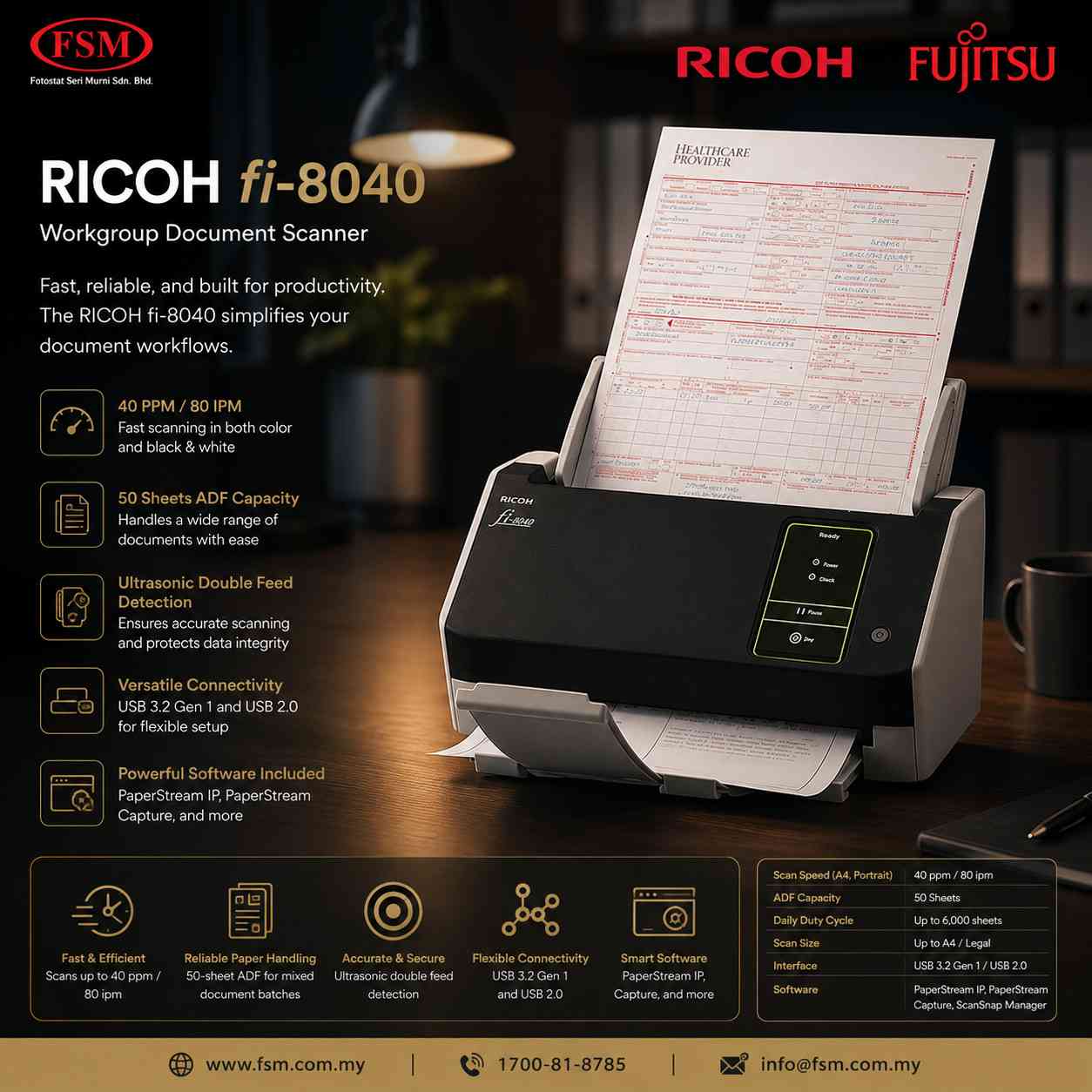


The key numbers are presented as a strong visual strip so buyers can understand the fi-8040 at a glance.
A practical choice where teams need both high-speed batch capture and flatbed scanning.
Digitise contracts, forms, reports and mixed office records efficiently.
Capture customer documents and records with reliable feeding and high image quality.
Process everyday paperwork while retaining manual-feed flexibility for delicate originals.
| Feature | Ricoh fi-8040 | Typical Office Scanner | Manual Filing |
|---|---|---|---|
| Scan Speed | 40 ppm / 80 ipm | Lower / varies | N/A |
| Document Handling | HIGH-SPEED ADF | Usually ADF only | Manual |
| ADF Capacity | 100 sheets | Varies | N/A |
| Network | USB 3.2 Gen 1x1 / USB 2.0 | Model dependent | N/A |
| Paper Protection | Advanced protection features | Basic / varies | N/A |
The Ricoh fi-8040 is a professional A4 document scanner combining a ADF scanning and Automatic Document Feeder (ADF). It is designed for fast, reliable scanning of everyday documents as well as passports, booklets, cards, and delicate originals that are better handled on the flatbed.
| Specification Parameter | Technical Details |
|---|---|
| Scanner Type | ADF (Automatic Document Feeder) / Manual Feed / Flatbed, Duplex |
| Scanning Modes | Color, Grayscale, Monochrome |
| Scanning Speed (A4 Portrait) | Simplex: 40 ppm, Duplex: 80 ipm (200 / 300 dpi) |
| Image Sensor Type | ADF: CIS x 2 (front x 1, back x 1); Flatbed: Color CCD x 1 |
| Light Source | ADF: RGB LED x 2 (front x 1, back x 1); Flatbed: White LED |
| Optical Resolution | 285 dpi |
| Document Size Maximum | ADF: 215.9 x 355.6 mm (8.5 x 14 in.); Long document scanning supported; long-page scanning up to 6,096 mm (240 in.) |
| ADF Capacity | 100 sheets (A4 80 g/m² or Letter 20 lb) |
| Daily Duty Cycle | N/A sheets / day |
| Interface Options | USB 3.2 Gen 1x1 / USB 2.0 |
| Power Requirements | AC 100 V to 240 V, 50/60 Hz |
| Power Consumption | Operating: 28W or less / 17W Eco mode | Sleep: 2.0W or less (LAN) / 1.4W or less (USB) |
| Operating Environment | Temperature: 5 to 35°C (41 to 95°F) | Relative Humidity: 15 to 80% (non-condensing) |
| Dimensions (W x D x H) | 292 × 157 × 143 mm (11.8 x 6.7 x 6.4 in.) |
| Weight | 3.1 kg (8.8 lb) |
| Supported OS | Windows 11, Windows 10, Windows 8.1, Windows 7, Windows Server, macOS, Linux |
Ensure maximum uptime and performance for your fi-8040 scanner with genuine manufacturer-approved consumables and options:
Part / Item: Pad Assy & Pick Roller Set
Genuine replacement roller and pad assembly designed to maintain optimal paper feeding performance and reliability.
Part / Item: Booklet / Photo Carrier Sheet Set
Protective carrier sheets designed for scanning delicate items, clipped documents, or oversized pages safely.
Will be updated soon
Will be updated soon
The Ricoh fi-8040 high-performance document scanner features a ADF plus Automatic Document Feeder (ADF) design for flexible document capture.
Users across Kuala Lumpur, Selangor, Penang, Johor Bahru, and other regions in Malaysia choose the Ricoh fi-8040 for its fast high-speed ADF scanning, high-performance design, and advanced automated data extraction capabilities.
Delivers high-speed performance of up to 40 ppm / 80 ipm (A4 portrait, color, 200/300 dpi).
Features a unique advanced paper-separation technology (U-turn scan and Return scan).
Offers an high-performance footprint measuring 292 × 157 × 143 mm.
Includes an ADF capacity of up to 100 sheets with automatic stacking.
Manual Feed Mode supports bi-folded and multi-layered documents, while Booklets under 7 mm can be scanned using a Booklet Carrier Sheet, while plastic cards up to 1.4 mm are supported.
Includes PaperStream Capture and PaperStream Capture for image enhancement, capture and indexing workflows.
Fast ADF scanning up to 40 ppm / 80 ipm in A4 portrait at 200 / 300 dpi for high-volume office productivity.
Easily scans passports, ID cards, folded documents, booklets up to 7 mm thick and other delicate originals without interrupting normal workflows.
Intelligent ultrasonic multi-feed detection ensures every page is captured accurately while reducing the risk of missing pages.
Includes PaperStream Capture and PaperStream IP for automatic image enhancement, OCR-ready scans and efficient document workflows.
Automatically adjusts paper separation force for smooth feeding of mixed document batches with fewer interruptions.
Image Monitoring technology detects abnormal document movement in real time to help prevent damage to valuable originals.
Benchmark specifications and performance comparison details.
| Feature | Ricoh fi-8040 | Generic Scanner | Manual Filing |
|---|---|---|---|
| Scan Speed | 40 ppm / 80 ipm (ADF); Manual Feed Mode up to 7 mm | Slow | N/A |
| Scanning Type | ADF, Duplex (A4) | Contact / ADF | N/A |
| Connectivity | USB 3.2 Gen 1x1 / USB 2.0 | USB Only | N/A |
| Technology | CIS x 2 with RGB LED | Standard CIS / CCD | None |
| Malaysia Supplier Support | Yes ✔ | Limited | No |
Suitable for customer counters, service desks, and individual offices requiring high-speed ID and passport scanning.
Ideal for banks, financial institutions, and multi-branch reception desks requiring high-volume identity verification deployment.
Suitable for hotel chains, enterprise-wide customer onboarding projects, and government registration counters across Malaysia.
Looking for a quotation for the Ricoh fi-8040 professional A4 ADF and flatbed document scanner from FSM Solution? Contact us today for official quotations, bulk purchases, and delivery support for corporate offices, customer service counters, banks, hotels, and organizations across Malaysia.
FSM Solution Sdn Bhd.
Malaysia Nationwide Support.
Ask about Ricoh fi-8040 availability, quotation and Malaysia support.